Last Updated: November 11, 2026
An ultrawide monitor replaces two side-by-side screens with one continuous panel, and that single decision shapes everything else about the purchase. Instead of a bezel splitting your spreadsheet or your timeline, you get a wide, uninterrupted canvas that suits editing, trading dashboards, racing games, and the kind of split-window multitasking that makes a laptop screen feel cramped. The trade is that “ultrawide” covers a huge range, from a modest 21:9 panel at 2560 x 1080 to a 49-inch 32:9 display that is effectively two QHD monitors joined together. Picking the wrong shape wastes desk space or leaves you with a fuzzy picture.
This guide is for desk users who already know they want the wider format and need to choose between sizes, resolutions, and refresh rates. We focus on curved and flat 34-inch models, with a few larger options for people who want a bigger immersive screen. The details come from the listing titles, so confirm panel type, ports, and stand adjustments on each page before you buy in 2026, and measure your desk, since a 49-inch display is wider than many people expect.
Quick Picks
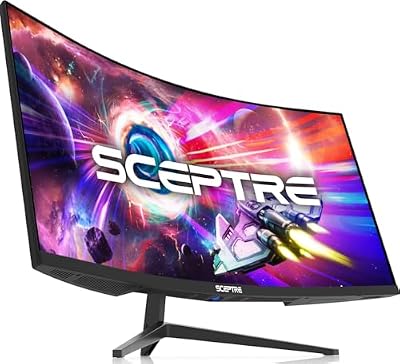
Sceptre 34-inch Curved ultrawide WQHD Monitor (3440 × 1440), R1500, up to 180Hz/165Hz, DisplayPort x2, 99% sRGB, 1ms, Built-in Speakers, Machine Black, 2025 (C345B-QUT168)
Included for '6 Best Ultrawide Monitors (November 2026)' as a representative aquarium product in this roundup; selection reflects the product set returned for this topic.
View on Amazon
LG 34WR55QK-B 34-inch UltraWide WQHD (3440 x 1440) Curved Computer Monitor, 100Hz, 5ms, HDR10, Reader Mode, HDMI, DisplayPort, USB Type-C, Tilt/Height Adjustable Stand, Black
Included for '6 Best Ultrawide Monitors (November 2026)' as a representative aquarium product in this roundup; selection reflects the product set returned for this topic.
View on Amazon
LG 34U530A-W 34-inch UltraWide WFHD (2560 x 1080) IPS Wide Computer Monitor, 100Hz, VESA DisplayHDR 400, HDMI, DisplayPort, USB Type-C, Tilt/Height/Swivel Stand, White
Included for '6 Best Ultrawide Monitors (November 2026)' as a representative aquarium product in this roundup; selection reflects the product set returned for this topic.
View on Amazon
SAMSUNG 49-inch Odyssey G9 (G91F) DQHD, 144Hz, Curved Gaming Monitor, Ultra-Wide 32:9 Screen, DisplayHDR 600, AMD FreeSync™ Premium Pro, Ergonomic Stand, LS49FG910ENXZA, 2025
Included for '6 Best Ultrawide Monitors (November 2026)' as a representative aquarium product in this roundup; selection reflects the product set returned for this topic.
View on Amazon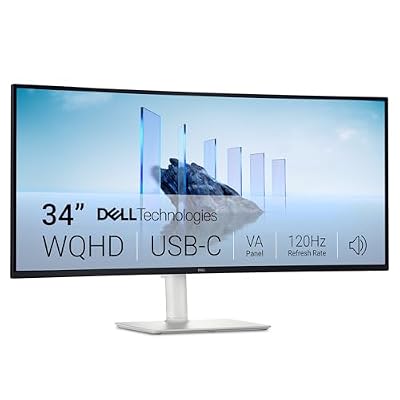
Dell 34 Monitor S3425DW, WQHD VA, 120Hz, FreeSync Premium, Eye Comfort | HDR10, Anti-Glare, 300 cd/m2 Brightness, 3,000:1 Contrast, 95% DCI-P3, 2x10W Speakers, USB-C 65W Power Delivery
Included for '6 Best Ultrawide Monitors (November 2026)' as a representative aquarium product in this roundup; selection reflects the product set returned for this topic.
View on Amazon
Sceptre 34-Inch Curved Ultrawide WQHD Monitor, 3440 x 1440, R1500, Up to 180Hz/165Hz, DisplayPort x2, 100% sRGB, 1ms, Built-in Speakers, Black (C345B-QUT168 Series)
Included for '6 Best Ultrawide Monitors (November 2026)' as a representative aquarium product in this roundup; selection reflects the product set returned for this topic.
View on Amazon| Product | Best for | Key spec from the title |
|---|---|---|
| Sceptre 34-inch Curved WQHD | Fast, lower-cost gaming | 3440 x 1440, up to 180Hz, 1ms, two DisplayPort |
| LG 34WR55QK-B | Work with a single USB-C cable | WQHD, 100Hz, HDR10, USB Type-C, height adjust |
| Samsung 49-inch Odyssey G9 (G91F) | Immersive gaming and sim racing | 32:9 DQHD, 144Hz, DisplayHDR 600 |
| Dell S3425DW | Mixed office and entertainment | WQHD VA, 120Hz, 95% DCI-P3, 2x10W speakers |
| Samsung 40-inch Odyssey G7 (G75F) | Big-screen gaming at a manageable width | 180Hz, 1ms GtG, DisplayHDR 600 |
| Samsung ViewFinity S50GC | Everyday productivity | Ultra-WQHD, 100Hz, PIP and PBP, borderless |
How to Choose
Resolution and size
The common 34-inch ultrawide runs 3440 x 1440, which gives a pixel density close to a 27-inch QHD monitor and keeps text readable without display scaling that wastes space. A 2560 x 1080 panel stretched across 34 inches looks softer, so it fits best on 29 to 30 inch sizes. The 49-inch 32:9 models run 5120 x 1440, which is two QHD screens wide, and need a deep desk and a strong graphics card to feel smooth.
Refresh rate and response time
For office work, 60 to 100Hz is smooth enough, and scrolling long documents already looks calmer than on a standard 60Hz screen. For games, 144Hz or higher is where fast motion starts to feel noticeably clearer, and 165 to 180Hz is a bonus. Response time claims such as 1ms are measured under favorable conditions, so treat them as a rough indicator and not a guarantee. Also confirm whether the top refresh rate requires DisplayPort instead of HDMI.
Panel type and curve
VA panels offer deep contrast and a pronounced curve, which suits movies and dim rooms but can smear dark scenes slightly when pixels switch slowly. IPS panels offer wider viewing angles and truer color for design work. A curve of 1500R wraps the picture around your view and feels immersive on large screens, while gentler curves suit shared desks where others look at the screen from the side. Choose the curve for your seating position rather than assuming deeper is better.
Ports, ergonomics, and HDR
USB-C with power delivery can charge a laptop and carry video over one cable, which is a major convenience for hybrid work. Check for DisplayPort 1.4 or HDMI 2.1 if you want the top refresh rates at full resolution. A height-adjustable stand helps posture. HDR10 labels on entry-level monitors usually mean light support, while DisplayHDR 600 indicates brighter highlights and more convincing HDR content.
The 6 Best Options
Sceptre 34-inch Curved WQHD Monitor
This Sceptre pairs a 3440 x 1440 panel with an R1500 curve, a refresh rate listed up to 180Hz or 165Hz depending on connection, a 1ms response claim, and two DisplayPort inputs. It suits gamers who want a wide canvas and a high refresh rate without stepping up to a premium brand.
- The listing shows a high refresh rate and two DisplayPort inputs for a multi-PC setup.
- Built-in speakers and 99% sRGB coverage cover everyday colors, so the monitor works for general use right out of the box.
- Trade-off: the speakers are a convenience feature, not a substitute for a desk speaker or headset.
Skip it if you need USB-C docking for a laptop or a height-adjustable stand, since the title does not mention either. The title also lists two similar versions of this monitor, so compare the sRGB figure and model number on the page before ordering.
LG 34WR55QK-B UltraWide
The 34WR55QK-B is a curved 34-inch WQHD display listed at 100Hz with HDR10, Reader Mode, HDMI, DisplayPort, and USB Type-C, plus tilt and height adjustment. It is the office-friendly option for people who want one cable to a laptop and a stand that moves.
- USB Type-C simplifies a laptop connection and reduces desk clutter, since video and charging can share a single cable.
- Tilt and height adjustment supports healthier posture across long workdays.
- Trade-off: 100Hz and 5ms response suit work and casual play, not competitive shooters.
Skip it if fast gaming performance is your priority or you want a high-refresh display that rivals dedicated gaming models. Buyers who edit photos for print should also look for a panel with a published color-accuracy figure before settling on this one.
Samsung 49-inch Odyssey G9 (G91F)
The Odyssey G9 is a 49-inch curved 32:9 monitor in DQHD, running up to 144Hz with DisplayHDR 600 and FreeSync Premium Pro. It is for players and creators who want a screen that fills their peripheral vision and replaces a pair of monitors.
- The 32:9 format gives enormous horizontal space for timelines or racing cockpits.
- Variable refresh and HDR support are aimed at demanding games, which helps smooth motion when frame rates fluctuate during busy scenes.
- Trade-off: the size demands a deep, wide desk and a capable graphics card, because driving a 5120-wide image at high refresh is a heavy load.
Skip it if your desk is narrow, your GPU is modest, or you prefer the simplicity of a single 34-inch panel. Remember that the curve and sheer width also change how you share the screen with a colleague standing beside your chair.
Dell S3425DW
The Dell S3425DW is a 34-inch WQHD VA display at 120Hz with FreeSync Premium, HDR10, an anti-glare coating, 300 cd/m2 brightness, 3,000:1 contrast, 95% DCI-P3 coverage, and two 10W speakers. It balances office comfort and entertainment well, and it fits people who split the day between documents, video calls, and an evening game or film on the same screen.
- Wide color coverage helps with photo editing and video, and the built-in speakers save desk space for casual listening.
- Eye comfort features and anti-glare suit long workdays, particularly in offices with overhead lighting that can cause reflections.
- Trade-off: 300 cd/m2 brightness is modest, so very bright rooms may need curtains.
Skip it if you need very high refresh rates or want the brightest HDR highlights. Dedicated esports players will find the 120Hz ceiling lower than the gaming monitors here, and the modest brightness will matter in a sunny room.
Samsung 40-inch Odyssey G7 (G75F)
This 40-inch curved Odyssey runs up to 180Hz with 1ms GtG response, DisplayHDR 600, and FreeSync Premium Pro. The title calls it WUHD, so verify the exact resolution on the listing. It suits gamers who want a large panel without the full width of a 49-inch.
- High refresh and fast response aimed at action games, with a refresh rate that tops the 34-inch panels in this group.
- DisplayHDR 600 helps highlights stand out, which is useful for games and films that include bright sunlight or explosions.
- Trade-off: a 40-inch size with high resolution needs a stronger graphics card.
Skip it if you have limited desk depth or a modest GPU. Since the title uses a nonstandard resolution label, confirm the pixel count on the page, and make sure your graphics card has a matching DisplayPort or HDMI output.
Samsung ViewFinity S50GC
The ViewFinity S50GC is a 34-inch Ultra-WQHD monitor at 100Hz with a 5ms response, HDR10, AMD FreeSync, eye care features, a borderless design, and PIP and PBP modes. It targets productivity users who want a clean look and easy multitasking.
- PIP and PBP let you view two sources at once, for example a work laptop on one side and a desktop PC on the other.
- A borderless design suits multi-monitor desks and gives the panel a clean, modern look on the desk.
- Trade-off: its response time and refresh rate are modest for fast games.
Skip it if you play competitive shooters or want a high-end gaming display. The title also includes an older release year, so check the listing to be sure you are looking at the version you expect and that it still meets your port needs.
Which One Fits Your Situation
You work from a laptop most days
The LG 34WR55QK-B brings USB Type-C and a height-adjustable stand to a single cable setup. It is the calmest pick for remote workers who dock a laptop each morning and want the same monitor to handle video calls, documents, and the occasional casual game.
You want a gaming display on a moderate desk
The Sceptre 34-inch gives a fast 3440 x 1440 panel with two DisplayPort inputs and a strong curve. It is a good match for someone who wants high refresh without paying for a large brand badge, as long as a laptop dock is not needed.
You are building a sim racing or flight rig
The Samsung 49-inch Odyssey G9 fills your field of view and supports variable refresh. Measure the desk first, because a panel this wide needs space, and plan for a monitor arm or a sturdy stand to keep it stable.
You split your time between spreadsheets and movies
The Dell S3425DW and the Samsung ViewFinity S50GC both cover mixed use, with the Dell adding wide color coverage and speakers.
Common Mistakes
- Buying a 49-inch panel without measuring desk width and depth, then discovering it blocks speakers or overhangs the edge.
- Ignoring the GPU needed to drive a high resolution at a high refresh rate, which leaves you with a beautiful panel running far below its potential.
- Assuming every ultrawide supports HDR in a useful way.
- Skipping the port list when you need USB-C or two DisplayPort inputs.
- Believing 1ms response claims without considering panel type.
Related guides
- Emergency Water Filtration Systems For Families
- Outdoor Dinnerware Set For Patio Entertaining
- Produce Storage Container For Refrigerator
Frequently Asked Questions
Is 34-inch the right size for most people?
Yes, for most desks. It offers a roomy canvas without needing a huge desk or an extreme graphics card. It also keeps your head movement small, so you can see the whole screen comfortably from a normal seat.
Do I need a curved monitor?
Not strictly. Curves reduce edge distortion on wide panels and feel immersive, but a flat panel can work well for design, where straight lines and accurate edges matter more than immersion.
Will every game support ultrawide?
Many do, but some show black bars or stretch the image. Check game settings and community notes before you buy, especially for older titles, cutscenes, and console games, which often ignore the extra width entirely.
Can an ultrawide replace two monitors?
For many users, yes. You gain a seamless view, though you lose the ability to split windows across separate screens with different orientations.

What Is a Hefeweizen? Flavor, History, and How to Pour One

6 Best Rv Surge Protectors (November 2026)