Last Updated: October 4, 2026
A camera is useful for checking a tank from your phone, but it cannot sense water chemistry or temperature failure on its own. The best aquarium camera for remote monitoring is the one whose resolution, field of view and storage match your viewing needs, whether that is the wide Tapo C120 at about $40 or the detail-focused eufy S350.
As an Amazon Associate we earn from qualifying purchases.
As an Amazon Associate we earn from qualifying purchases at no extra cost to you. Prices and availability are accurate as of the date shown and are subject to change.
By David Nguyen
How to Choose an Aquarium Camera for Remote Monitoring
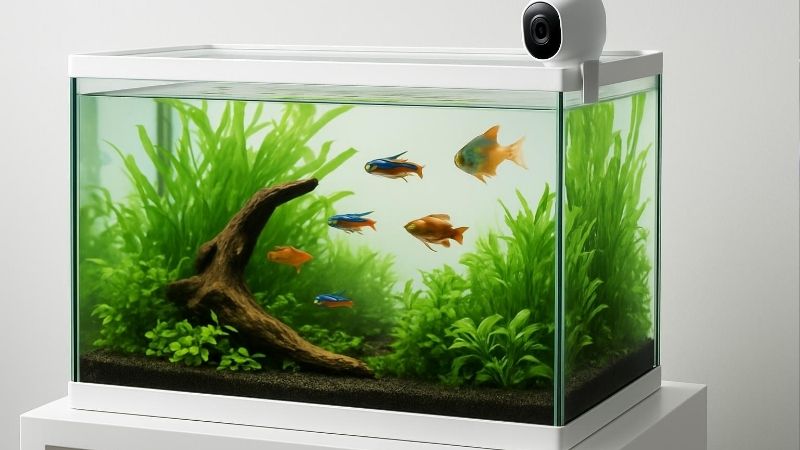
Choose enough resolution to see tank details, match the field of view to your tank length, decide whether you need pan and tilt, and check storage and splash resistance. A camera supplies video only, so pick around how you will view the tank rather than chasing the highest headline number.
Choose Enough Resolution to See Tank Details
Resolution here ranges from the Tapo C120 and Wyze Cam v4 at about 2560 by 1440 to the eufy S350’s 4K wide lens. Higher resolution shows more detail, but a 2K QHD feed is often enough to read water level, spot fish and confirm equipment is running from across a room.
More pixels do not automatically mean a clearer aquarium view, since glass glare and lighting affect the image. Use resolution to match how much detail you want, and remember that a 4K sensor does not guarantee a better picture through aquarium glass than a well-placed 2K camera.
Match Field of View to Tank Length
Field of view decides how much tank a fixed camera captures: the Tapo C120 lists 120 degrees diagonal and the Wyze Cam v4 lists 115.8 degrees. A wider angle covers a longer tank from a shorter distance, which matters if you want the whole display in one fixed frame.
Measure your tank length and mounting distance before choosing. A wide fixed camera suits capturing an entire long tank, while a narrower view may need the camera further back, so match the angle to your setup rather than assuming more degrees is always better.
Decide Whether You Need Pan and Tilt
Pan and tilt let one camera cover multiple angles or tanks: the Wyze Cam Pan v4 offers 360-degree horizontal pan, and the eufy S350 offers 360-degree coverage. A fixed camera frames one view, while a motorized one can sweep between tanks or follow activity on demand.
If you keep several tanks or want to inspect different corners, pan and tilt adds flexibility a fixed lens cannot. For a single tank you only need to watch as a whole, though, a fixed wide camera is simpler and often cheaper than a motorized unit.
Check Storage and Splash Resistance
Storage and ingress ratings vary: the Tapo C120 supports up to 512GB microSD and carries IP66, while the Wyze Cam v4 supports up to 256GB and carries IP65. Local storage matters if you want recordings without a cloud subscription, and the ratings help against splashes near a tank.
Neither IP65 nor IP66 means the camera can go underwater; both describe splash and dust resistance only. So a higher storage ceiling does not translate to a fixed number of recording days without knowing bitrate and mode, and the ratings do not make any camera safe to submerge.
Top Picks
These four span a budget wide-view camera to a detail-focused dual-lens unit, chosen for how they view a tank rather than lab-grade specs. Prices were checked September 2026 and can change, so use the table to line up resolution, angle and storage before matching one to your monitoring setup.
| Product | Best For | Key Spec | Watch Out For |
|---|---|---|---|
| Tapo C120 | Wide fixed tank view | 2K 4MP; 120 deg; IP66 | Glass glare |
| Wyze Cam v4 | Low-cost 24/7 viewing | 2.5K; Wi-Fi 6; IP65 | 256GB max local storage |
| Wyze Cam Pan v4 | Multiple tanks/angles | 360 deg pan; 512GB | Indoor-only |
| eufy S350 | Detail and zoom | 4K+2K; 8x hybrid zoom | Much higher price |
Tapo C120: Wide Fixed View
The Tapo C120 pairs a 2K 4MP sensor with a 120-degree diagonal view and IP66 rating, for around $40 as of September 2026. That wide angle captures a long tank in one fixed frame at low cost, making it the value pick for whole-tank monitoring from a phone.
Its drawback is the fixed angle, so it cannot sweep between tanks, and glass glare can affect the image regardless of resolution. Position it to minimize reflections from room lights and aquarium LEDs, since placement often matters more than pixel count for a clear view.
Wyze Cam v4: Affordable Remote Monitoring
The Wyze Cam v4 offers a 2560 by 1440 feed, Wi-Fi 6 and IP65, for around $45, about $4.99 or 12.5% more than the Tapo C120. Its Wi-Fi 6 support can help on busy networks, and the 2.5K resolution is plenty for broad visual monitoring of a single tank.
The main limits are no pan or tilt and a 256GB local storage ceiling, half the Tapo’s 512GB. That storage figure does not translate to a set number of recording days without knowing bitrate and mode, so treat it as a capacity limit rather than a fixed duration.
Wyze Cam Pan v4: Flexible Room Coverage
The Wyze Cam Pan v4 adds 360-degree pan and 103-degree tilt with up to 512GB microSD, for around $60, about 33.3% more than the Cam v4. That motorized coverage suits keepers watching several tanks or corners from one camera rather than a single fixed frame.
Its drawback is that it is indoor-only, so it is not suited to damp or outdoor placement. The pan and tilt earn their premium if you need multiple angles; for a single tank viewed as a whole, the cheaper fixed cameras cover the job at lower cost.
eufy S350: Detail-Focused Option
The eufy S350 uses a dual-lens 4K wide plus 2K telephoto system with 8x hybrid zoom and 360-degree coverage, priced roughly $100 to under $150 across official listings checked September 2026. Its zoom and detail suit keepers who want to inspect fish or equipment closely.
The trade-off is a much higher price, which is overkill if you only need to confirm the tank is running. The 4K sensor does not guarantee a better view through glass, since glare and angle still apply, so buy it for zoom and detail rather than assuming resolution alone improves clarity.
Frequently Asked Questions
Buyers ask whether 2K is enough, whether the camera must be waterproof, how much local storage they can use, and whether a camera replaces a controller. The answers below stay with published specs and avoid overpromising, since a camera provides video only and cannot measure water parameters.
Is 2K Enough to Monitor an Aquarium Remotely?
Often yes for broad visual monitoring: both the Tapo C120 and Wyze Cam v4 provide roughly 2560 by 1440, which is enough to read water level, spot fish and confirm equipment is running. For general remote checks, that resolution covers most needs.
It will not let you diagnose disease or identify algae species from resolution alone, so do not expect a camera to replace close inspection. Use 2K for at-a-glance monitoring, and judge fine health details in person rather than relying on the video feed for diagnosis.
Should the Camera Be Waterproof?
Splash resistance helps near a tank: the Tapo C120 carries IP66 and the Wyze Cam v4 IP65, which protect against splashes and dust. Neither rating, however, means the camera can be used underwater, so these are not cameras to submerge in the aquarium.
Mount the camera outside the tank where splashes are the main risk, not inside it. Treat IP65 and IP66 as protection against the damp environment around an aquarium rather than as permission to place the camera in the water.
How Much Local Storage Can I Use?
Verified ceilings here are 256GB on the Wyze Cam v4 and 512GB on both the Tapo C120 and Wyze Cam Pan v4. Local microSD storage lets you record without a cloud subscription, which is a real cost consideration over time.
A higher ceiling does not equal a fixed number of recording days, since duration depends on bitrate and recording mode. So use the storage figure to compare capacity, and expect actual recording time to vary with resolution and how continuously the camera captures.
Is a Camera a Replacement for an Aquarium Controller?
No. A camera supplies video, while a controller can monitor numeric variables such as temperature, pH and leaks and act on them. The two serve different roles, and a camera cannot detect a heater failure or a leak the way a controller with sensors can.
Use a camera for visual checks and a controller for parameter monitoring and automation. They complement each other, so if protecting the tank from equipment failure matters, pair a camera’s view with a controller’s sensors rather than relying on video alone.
Final Thoughts
The best aquarium camera for remote monitoring is the one matched to your viewing needs, not the highest resolution on the shelf. Decide your viewing architecture first, wide fixed, pan and tilt, or zoom detail, weigh local storage against cloud costs, and remember a camera shows the tank but cannot measure water parameters or replace a controller’s sensors.
Best Large Aquarium For A Commercial Lobby: Best Expert
Best Smart Aquarium Monitoring System With Alerts: Compared